
Tag: Audio Version Available

Access our articles in audio format for a hands-free experience, ideal for listening on the go or while multitasking.

  • Accessible Documents Made Simple: Practical Tips for Creating Inclusive PDFs and More

    Accessible Documents Made Simple: Practical Tips for Creating Inclusive PDFs and More

    Clean and modern illustration of stacked digital documents, representing accessible PDFs or files, with blue and white tones emphasizing organization and structure.

    Prefer to Listen to the Audio Version of this Article? Press play!

    Documents should be accessible to everyone, regardless of their abilities. Whether they are PDFs, Word documents, or Excel spreadsheets, all documents need to be designed so people with disabilities can use them easily. Accessible documents ensure that information is available to everyone. This is not just about fairness and inclusion—it’s also a legal requirement in many countries.

    In Germany, the BITV 2.0 (Barrier-Free Information Technology Ordinance) sets rules for the accessibility of digital content, including documents. Across Europe, EU directives also make sure no one is left out of important information. Companies, organizations, and public institutions that do not meet these standards risk facing legal consequences and limiting the reach of their content.

    What Are Accessible Documents?

    Accessible documents are designed so everyone can use them, including people with disabilities like vision, hearing, or mobility impairments. To make this possible, documents need to be organized clearly and structured in a way that works with assistive technologies, like screen readers.

    It’s not just about adding descriptions to images. Every part of a document—headings, paragraphs, links, tables, and images—must be formatted in a way that everyone can access. For example, headings should follow a logical order so screen readers can understand the structure of the document and guide users through it. Images and graphics need descriptive text (called alt text), and links should have clear and specific labels.

    Why Accessibility Matters: Key Statistics

    A study found that around 90 % of PDFs available online are not fully accessible. Many of these files are missing critical elements like proper tags, alt text for images, and logical reading order, making it difficult for people with disabilities to use these documents​.

    Another analysis of over 10,000 academic PDFs revealed that 75 % lacked basic accessibility features like document structure tags, making them inaccessible to people relying on screen readers​.

    Additionally, 80 % of PDFs uploaded to government websites do not meet accessibility standards, creating compliance risks in regions like the EU and the US​.

    A UK public sector audit found that only 7 % of PDFs complied with accessibility standards, showing significant gaps in document accessibility across important public services​.

    Common Challenges in Creating Accessible Documents

    Creating accessible documents can be tricky, especially when dealing with older documents or complex layouts. Some common challenges include:

    • Confusing layouts and unclear structures: Documents that don’t follow a clear structure can be hard for assistive technologies to read. For example, if headings are not properly formatted, screen readers may struggle to understand the flow of the content.
    • Missing alt text for images and graphics: Images often carry important information. Without alt text (descriptions of what the image shows), visually impaired users miss out on that information. This applies to simple images as well as complex graphics and charts.
    • Low color contrast: The contrast between text and background needs to be strong enough for people with vision impairments to read it. Poor contrast makes reading difficult for many users, including those with color blindness.
    • Complex tables and charts: Tables and charts are hard for screen readers to interpret if they are not formatted properly. Assistive technologies can’t easily read the information if it isn’t labeled and structured correctly.

    Best Practices for Creating Accessible Documents

    Here are some practical steps to ensure your documents are accessible:

    • Use a clear, logical structure: Documents should be easy to follow. Headings, paragraphs, and lists need to be formatted in a way that makes sense. This helps screen readers guide users through the document.
    • Choose readable fonts and ensure good contrast: Use fonts like Arial or Verdana, which are easy to read. Make sure there is enough contrast between text and background so that people with vision issues can read the content comfortably.
    • Provide descriptive alt text for images: Every image, graphic, or chart in a document should have alt text. Simple images need a short description, while more complex charts or diagrams may require detailed explanations to convey the full meaning.
    • Avoid using text in images: Text embedded within images cannot be read by screen readers. If you must use an image with text, include the same text in the alt description to ensure accessibility.
    • Use clear link texts: Avoid vague phrases like “Click here.” Instead, use specific phrases that tell users where the link will take them. For example, “Learn more about creating accessible documents” is better than “Click here.”
    • Format tables and charts correctly: Tables should be organized in a way that makes them easy to understand. Use clear headings and labels to help assistive technologies interpret the information. For complex tables, each cell should be clearly defined.
    • Include important metadata: Make sure to add information like the document’s title, author, and language. This helps assistive technologies, and users understand the document better.

    Tools to Check Document Accessibility

    Thankfully, there are several tools available that make it easier to check if your documents are accessible. Some of the most useful ones include:

    • Adobe Acrobat Pro: This tool has built-in checks for PDF accessibility. It highlights problems and offers solutions to make your documents easier to access.
    • Microsoft Office: The accessibility features in Word, Excel, and PowerPoint help users create accessible documents. These tools point out areas that need improvement and guide you in making adjustments.
    • PDF Accessibility Checker (PAC): This free tool is great for checking if PDFs are accessible. It provides a detailed report on what changes need to be made to improve accessibility.

    Enmedia: Accessibility as Part of Our Digital Marketing Solutions

    Accessible documents are not only required by law, but they are also a vital part of any successful digital strategy. As part of its digital marketing solutions, Enmedia offers services to create, review, and improve the accessibility of documents. This includes adjusting PDFs, Word documents, and Excel files to meet the latest accessibility standards like BITV 2.0 and EU directives.

    Ensuring accessibility means reaching a wider audience and building trust with all users. Enmedia helps businesses make sure their content is accessible by optimizing existing documents and ensuring future projects meet accessibility guidelines.

    Interested in learning how Enmedia can help you create accessible content?

    Contact us today to learn more about our services and how we can help make your digital strategy more inclusive and accessible.
  • How a Simple Website Boosted Local Visibility for a Service Business in Germany

    How a Simple Website Boosted Local Visibility for a Service Business in Germany

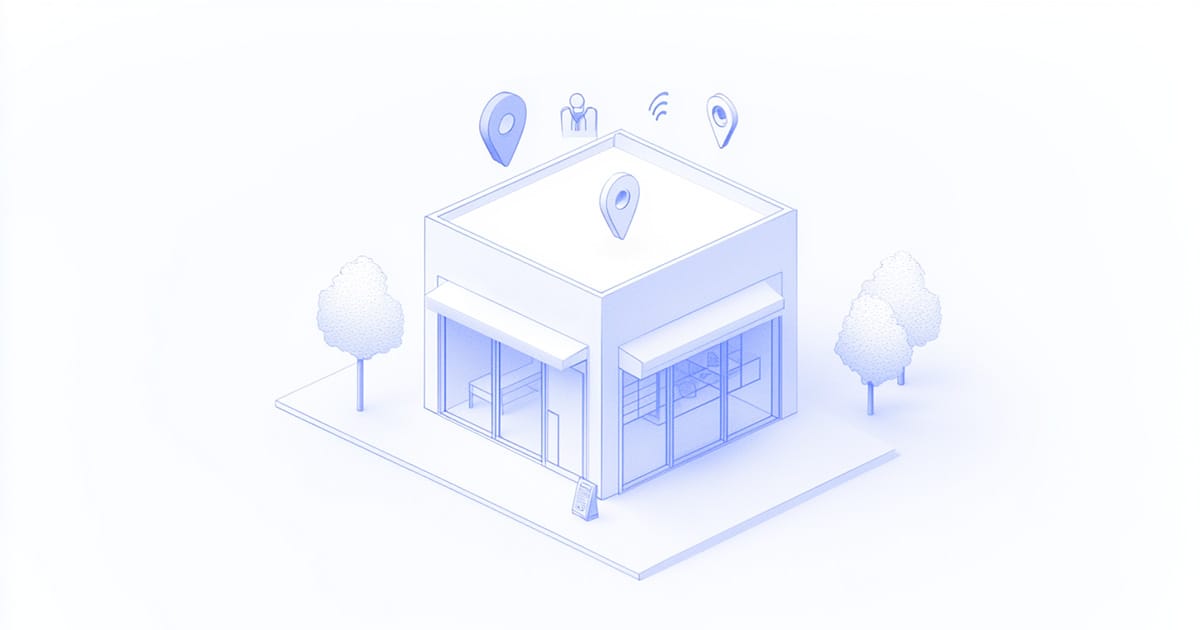
    Illustration of a small business storefront with digital icons for location, profile, and Wi-Fi, symbolizing online presence and enhanced local visibility.

    Prefer to Listen to the Audio Version of this Article? Press play!

    During the height of the COVID-19 crisis, a small business owner in Germany faced a pivotal moment. With over a decade of experience and a strong community reputation, he watched as pandemic restrictions severely impacted his foot traffic (read more on COVID-19’s impact on small businesses). Despite his established presence, he encountered several critical challenges:

    • Dramatic decrease in foot traffic due to COVID-19 restrictions
    • No established online presence to showcase services
    • Very limited budget for digital marketing
    • Urgent need to maintain local visibility

    He recognized the urgent need for a digital transformation strategy. The challenge was clear: he needed an affordable, sustainable solution that a small business could efficiently manage without an IT department.

    The Path Forward

    Working with our team at Enmedia, the small business owner chose to focus on essential digital elements rather than pursuing an extensive marketing strategy. The cornerstone of this approach was a streamlined, user-friendly website built with static HTML (learn more about static HTML websites). This choice provided an ideal foundation: fast loading times, minimal maintenance requirements, and robust security—all crucial elements for a local business seeking to establish a professional online presence.

    As a complete service, Enmedia handled the entire technical infrastructure: from domain name registration and hosting to ongoing server maintenance. This allowed the business owner to focus entirely on their core business while we ensured smooth technical operations.

    Rather than aiming for high traffic numbers, we designed the website to serve as a digital foundation—a professional hub that would validate the business’s credibility when customers found them through local searches or word-of-mouth. This approach recognized that for a local service business, the website’s primary role isn’t to generate massive visitor numbers but to serve as a reliable reference point for their target audience actively seeking their services.

    The website became far more than just a digital business card. Through careful design, it became a hub for essential business information, showcasing:

    • Clear overview of services
    • Up-to-date business hours
    • Direct contact options
    • Personal introduction of the business owner

    To maximize local visibility, we implemented a comprehensive digital transformation strategy. This included setting up and optimizing a Google Business profile, which proved instrumental in capturing local searches and building a platform for customer reviews. We ensured consistency across online directories, making it easy for potential clients to find accurate business information regardless of where they searched (learn more about local SEO).

    Integrating Google Maps directly on the user-friendly website helped visualize the business location (learn about embedding Google Maps), while a review management system automatically updated customer testimonials weekly (explore effective review management tools). These elements worked together to create content that resonated with the local target audience.

    Meaningful Results

    The impact of these changes became evident quickly. The business saw significant improvements across two key timeframes:

    After Three Months:

    • 20% increase in new customer inquiries
    • Significant improvement in local search visibility
    • Higher engagement rates from website visitors
    • First customers from neighboring towns

    After One Year:

    • 40% increase in overall revenue
    • Over 180 five-star customer reviews
    • Market reach expanded from a 3-mile to a 30-mile radius
    • Higher average revenue per customer visit

    Particularly valuable: The investments remained within a reasonable range for a small business while the benefits continued to grow.

    Insights for Success

    The success of this digital transformation strategy offers valuable lessons for other businesses. First, it demonstrates that a well-executed, user-friendly website serves as an essential foundation for digital presence. It doesn’t need to be complex—it needs to work well and build trust. Our experience shows that customers value clear information and easy contact options more than elaborate animations.

    This foundation proved crucial in supporting all other digital efforts. When customers found the business through Google searches or reviews, they could verify its legitimacy and services through a professional website. This digital validation often made the difference between a potential customer choosing to make contact or moving on to competitors.

    The experience also highlights the crucial role of Google Business profiles in capturing local searches and building credibility through customer reviews. The consistency of information across all online platforms proved essential in strengthening the business’s digital presence and improving local search performance.

    Regular updates and fresh content played a vital role in establishing credibility and trust. The key was finding the right balance: regular but manageable updates kept the online presence current without overwhelming the business owner’s schedule.

    Looking Ahead

    This transformation demonstrates that digital adaptation doesn’t need to be complicated or expensive. Through a strategic focus on essential online elements and consistent attention to local presence, the business owner survived a difficult period and emerged stronger and better positioned for future growth (see similar small business transformations).

    The key lies in focusing on the essentials: a solid foundation of website and Google Business Profile, combined with consistent but manageable maintenance of your online presence. Success isn’t measured by website traffic alone but by how effectively your digital presence supports and grows your business.

    Ready to enhance your local visibility? Contact Enmedia today to explore how our tailored digital strategies can support your goals.

  • Why Your Local Business Needs a Website – Even If You Don’t Get Much Traffic

    Why Your Local Business Needs a Website – Even If You Don’t Get Much Traffic

    Illustration of a small business storefront with digital icons representing website, Google Maps, customer reviews, and search bar, symbolizing a local business’s online presence and SEO strategy.

    Prefer to Listen to the Audio Version of this Article? Press play!

    For many small businesses, the question of whether a website is necessary comes up often, especially if the site doesn’t bring in much traffic. You might be wondering, “Is it worth investing in a site that doesn’t attract visitors?” The answer is a definite yes. Even with minimal traffic, a website is essential. It acts as your digital storefront, confirming your legitimacy and making it easier for potential customers to find you through Google searches and other online sources.

    Maximizing Credibility with a Simple Website

    Consider one small business owner we worked with in Germany who opted for a simple one-page website to establish his online presence. With our help, he also set up a Google Business Profile and got listed on key local directories. His website serves as a central professional hub that ties together all his online profiles, providing potential customers with a trustworthy space to explore his services in detail. It wasn’t just a digital business card; it reinforced his credibility and showcased his expertise, making it clear why customers should choose him over competitors.

    By maintaining consistent information across platforms and giving customers a place to learn more about his business, his website added an essential layer of trust. Customers often visited it to verify contact details, read about services, and understand his approach before deciding to reach out.

    Within a year, his commitment and clear communication with customers earned him over 180 solid 5-star reviews, helping him stand out across his region. Even without heavy website traffic, he consistently attracts clients through his Google Business Profile and directory listings, all linking back to his website. Here, the website acts as the final step that converts curious visitors into loyal customers.

    This strategy has proven effective in drawing in more local customers and extending his reach to nearby cities where he hadn’t previously had clients. For those who traveled to visit his business, each visit often led to larger transactions, making his online presence even more valuable.

    This example shows that, even if you’re working with minimal traffic, a well-designed website as part of a thoughtful online strategy can be a powerful tool for attracting customers. Imagine what a similar approach could do for your business. See the full case study for more details.

    Supporting Your Business with Local SEO

    When people search for local services, they often use terms like “dentist near me” or “best bakery in [City].” This is where Local SEO, or Search Engine Optimization, becomes essential. Search engines prioritize businesses that are easy to verify and locate. By having a website—even a one-page site—you provide essential information that helps search engines understand who you are, where you are, and what services you offer.

    Even without high traffic, a website supports Local SEO by giving search engines a reliable source of information about your business. Think of it as your digital signpost, letting both customers and search engines know you’re a trustworthy, verified local business.

    For small businesses, establishing these basics can make a huge difference—whether it’s setting up a Google Business Profile or structuring your website effectively.

    Essential Elements for Every Local Business Website

    To support local SEO and attract your target audience, every local business website should include these key features:

    • Clear Contact Information (NAP): Your business name, address, and phone number should be consistent and easy to find on every page. For one-page websites, placing this information at both the top and bottom of the page improves visibility and accessibility. This consistency signals to search engines that your business details are verified and reliable.
    • Display Business Hours: Show your hours of operation prominently so customers know when you’re open. Keeping these hours up to date on both your website and Google Business Profile ensures that customers have the correct information, which also signals to search engines that you’re a legitimate, active business.
    • Use Location-Based Keywords: Add keywords that reflect your specific area, such as “plumbing in [City]” or “coffee shop near [Neighborhood].” This step is important for all websites, including one-page sites. Using location-specific keywords in headings and body text helps connect your business to local searches, improving your page’s SEO.
    • Create an “About Us” Section: An “About Us” section builds trust by sharing your business’s story, values, and community ties. Customers are more likely to engage with a business they feel connected to. Including local references and keywords here supports your SEO, even on a single-page site.
    • Service Pages or Sections: If you offer multiple services, create separate pages or sections for each one. Including service-specific keywords helps search engines and customers easily understand what you offer. On a one-page website, consider adding a brief service summary to help search engines understand what you offer and improve your local search rankings.
    • Feature Recent Customer Testimonials: Including recent customer testimonials builds credibility and helps potential customers see the consistent quality of your work. To enhance your visibility further, consider using schema markup for reviews. Structured data, like Review Schema, can improve your local SEO by enabling “rich snippets” in search results, where your star ratings or review count appear directly beneath your listing. This extra visibility can make your business stand out more effectively in search results.
    • Embed Google Maps: Embedding a Google Map on your site makes it easy for customers to locate you and signals your location to search engines, which supports local search visibility. For one-page sites, adding a Google Map can provide clear directions while enhancing local SEO.
    • Ensure Accessibility (WCAG 2.1 Standards): Make your website accessible to all users, including those with disabilities, by meeting Web Content Accessibility Guidelines (WCAG) 2.1 standards. Accessibility improvements can enhance your SEO rankings, as search engines favor websites that are user-friendly. Accessible sites reach a wider audience, potentially increasing customer engagement and loyalty.
    • Optimize for Mobile Devices: Many local searches happen on mobile devices, so a responsive website is essential. This is particularly important for one-page websites, where a responsive design ensures visitors can quickly access everything they need in one scroll. A mobile-friendly site boosts both user experience and SEO.

    Common Concerns About Websites with Low Traffic

    Some local business owners hesitate to invest in a website if it doesn’t see a lot of traffic. This is a valid concern, but a website’s worth goes beyond visitor numbers. Think of it as a digital signpost, telling both search engines and customers that you’re open for business. Even if the site doesn’t attract heavy traffic, it:

    • Builds credibility by acting as your digital storefront.
    • Helps your business appear in search results when customers are actively looking for your services.
    • Provides customers with essential information to reach out or visit.

    In many cases, a website is less about generating direct traffic and more about ensuring visibility when customers need you most. The vast majority of consumers rely on online searches to find local businesses, whether in the United States, the United Kingdom, or Germany, where people often research online before visiting or purchasing from a local business.

    Is your business prepared to meet customers where they’re searching?

    How Enmedia’s Digital Marketing Solutions Can Help

    At Enmedia, we understand that building a local online presence requires more than just a website. We’ve helped numerous businesses like yours navigate the complexities of local SEO and enhance their online visibility. Our personalized strategies are designed to meet your unique needs and help you stand out in your local market.

    We offer a range of digital marketing solutions designed specifically to help local businesses grow and succeed:

    • Search Engine Optimization (SEO): Improve your rankings in local search results so customers find you first.
    • Content Creation: Engage your audience with high-quality, relevant content that builds trust and authority.
    • Social Media Management: Connect with your community and expand your reach through targeted social media strategies.
    • Targeted Advertising: Reach the right audience at the right time with customized advertising campaigns.

    Whether you’re just starting out or looking to enhance your existing online presence, having professional support can make all the difference. Our team ensures your website meets all local accessibility standards, benefiting both users and search engine visibility.

    Our goal is to make your business visible, credible, and easy to find in local searches, helping more customers come through your doors.

    Ready to take your local visibility to the next level? Contact Enmedia today for a free consultation on how our digital marketing solutions can help your business succeed in local search results. Let’s work together to make sure your business is the one customers choose every time they search.

  • Why Ranking First on Google Doesn’t Mean You’ll Make More Sales (and What to Do About It)

    Why Ranking First on Google Doesn’t Mean You’ll Make More Sales (and What to Do About It)

    Minimal abstract 3D design with upward-trending lines, symbolizing SEO conversion optimization and user engagement

    Prefer to Listen to the Audio Version of this Article? Press play!

    When you’ve finally achieved that coveted top spot on Google, it can feel like you’ve won the digital lottery. After all, SEO is all about visibility, and being at the top means more people will click through to your site, right? Well, yes. But here’s the surprising truth: that top-ranking page doesn’t necessarily mean more conversions or sales.

    Think about it: SEO is like a storefront window in the busiest part of town. People may stop and look, but they’ll only come in and buy if what they see speaks to their needs. And that’s where conversion optimization (CRO) comes in. If SEO brings the visitors in, CRO turns them into customers.

    Let’s dive into why that is and what you can do to make sure your top-ranking page isn’t just bringing traffic but bringing in the right results.

    SEO Brings Visitors, But It Doesn’t Guarantee They’ll Stick Around

    Imagine you’ve landed on the first page for “affordable web design services.” People are clicking, and traffic is rolling in—yet conversions aren’t quite what you expected. The problem? High traffic doesn’t equal high conversions if the content doesn’t match the visitor’s intent.

    When you optimize for SEO, you’re optimizing for the search engines, but converting those visitors is about speaking directly to them. So, consider who is clicking on your link: Are they just browsing? Are they comparing options? Your content needs to reflect those motivations, not just keywords.

    Pro tip: Use keywords that align with buyer intent, like “best,” “buy,” or “compare,” if you want to attract people ready to take action, and make sure the page content addresses their specific needs.

    Quality Content Matters More Than Ever

    Let’s be honest—ranking high without offering relevant, high-quality content is like inviting someone into a beautifully designed store that’s completely empty. They’ll leave quickly, and you’ll lose the chance to convert.

    Quality content doesn’t just bring visitors; it keeps them engaged. It helps them find answers to their questions, it resonates with their goals, and it shows them why you’re the solution they’re looking for.

    Remember: Content should serve your audience first, not just SEO. Ask yourself, “If I were visiting this page, would I find it useful?”

    Great User Experience (UX) Is Key

    Ever clicked on a top-ranking link only to leave because the page took forever to load or didn’t look great on mobile? You’re not alone. Google cares about UX, but so do users. That’s why top rankings are heavily influenced by factors like page speed and mobile-friendliness.

    When your page offers a seamless experience—quick loading, easy navigation, a clean design—people are more likely to stay and engage with your content. If SEO brings them in, UX is what makes them comfortable enough to stick around.

    Quick win: Audit your page speed and mobile optimization. If your site loads too slowly or doesn’t work well on phones, visitors (and Google) will move on.

    Clear Calls to Action (CTAs) Are Non-Negotiable

    Even if your SEO brings people to your page, if there’s no clear next step, they won’t convert. CTAs are essential, and they should stand out and be directly tied to what visitors want to do. For example, a “Start Your Free Trial” button works for those ready to try, while a “Learn More” link may be better suited to those still researching.

    Test it out: Experiment with different CTA placements, colors, and wording. You’ll be surprised how much a small tweak can impact conversions.

    Match Your Content to Where People Are in the Buyer’s Journey

    Not all traffic is ready to buy immediately. Some visitors are researching, some are comparing, and others are ready to make a decision. So, think about what each visitor needs based on where they are in the buyer’s journey.

    A high-ranking blog post might pull in visitors in the awareness stage, meaning they may need more nurturing before they’re ready to convert. Instead of jumping straight to a sale, offer additional resources, links to deeper content, or even soft CTAs that help guide them down the path to conversion.

    Real-world example: If your page ranks for “how to choose a web designer,” provide a comparison chart or guide rather than a hard sell. This approach builds trust, and once they’re ready to decide, you’ll be top of mind.

    Test, Test, Test—and Then Test Some More

    Conversion optimization is a constant process. Even if you’re getting decent results, there’s always room to improve. Testing different page elements—headlines, images, CTAs, even form lengths—can lead to noticeable changes in your conversion rates.

    Regular testing also gives you data on what resonates best with your audience, so you can adapt your strategy accordingly. And the more you fine-tune, the more your SEO efforts pay off by not just bringing in visitors, but converting them too.

    Keep it simple: Start with small tests—move a button, change a color, or reword a headline. Small changes can often have a big impact on conversion rates.

    Build Trust with Every Click

    Ranking first can help build initial credibility, but it’s only the beginning. Users still need to feel they can trust you. This is where elements like testimonials, reviews, and trust badges come into play. When people know others have had positive experiences with your brand, they’re more likely to convert themselves.

    Trust tip: If you’ve got glowing reviews or notable clients, display them prominently. Building trust at first glance can make all the difference in whether visitors convert.

    When High Traffic Didn’t Mean High Value: A Real-Life SEO Lesson

    In 2020, when the COVID crisis began, a vocational education institute we work with in Greece had to make a rapid shift from in-person classes to virtual formats. In just 48 hours, we helped them transition to Zoom and created step-by-step guides on how to install and use the platform across different devices. We published these resources on their website to make the transition as smooth as possible for students.

    Within days, their website traffic spiked. Our Zoom guides were receiving thousands of clicks, and we were thrilled at first—until we looked closer. Most of this traffic wasn’t from students but from people across Greece who, like everyone else, were suddenly adapting to Zoom for work, school, and family communication. Our content was ranking second on Google Greece for “Zoom,” right after Zoom’s own homepage, yet none of these visitors were converting into students or meaningful leads.

    The high traffic brought unexpected challenges. The client began receiving numerous calls and emails—even phone inquiries—from unrelated users seeking Zoom support, overwhelming their staff. Eventually, the client decided to take down the pages, as the increased demand was providing high traffic but low value for their specific goals. This experience highlighted a key lesson: while high-ranking content brings visibility, it’s essential to target that visibility toward the right audience for genuine results.

    Conclusion:

    SEO brings people through the door, but it’s what they find inside that determines if they’ll stay and convert. A strong CRO strategy works hand-in-hand with SEO, ensuring that your high-ranking pages not only attract the right audience but also guide them smoothly toward taking action. So, optimize for visibility, but don’t forget to focus on creating a conversion-friendly experience.

    After all, traffic is great, but results are even better.

    Enmedia’s Digital Marketing Solutions

    At Enmedia, we know that ranking high in search results is just the beginning. True digital success means creating an experience that not only attracts visitors but engages them and encourages them to act. That’s why our digital marketing solutions go beyond SEO, focusing on strategies that convert visitors into loyal customers. We blend seamless user experience design with smart content strategy and conversion optimization to ensure every part of your site works together to drive results.

    So, if you’re ready to transform traffic into tangible growth, our team at Enmedia is here to make it happen. Contact us today, and let’s build a digital strategy that works for your goals.

  • Web Accessibility in Action: 18 Global Case Studies That Inspire Inclusive Design

    Web Accessibility in Action: 18 Global Case Studies That Inspire Inclusive Design

    Illustration of a globe connected with accessibility icons such as screen reader, keyboard, and text resizing, symbolizing global web accessibility.

    Prefer to Listen to the Audio Version of this Article? Press play!

    Web accessibility is more than just a legal checkbox—it’s about building a digital world that’s open to everyone, regardless of ability. When organizations eliminate barriers online, they empower people with disabilities to explore, engage, and interact seamlessly with essential information and services. This journey to inclusivity is beautifully captured through a series of global examples that highlight the transformative power of accessible design.

    Government Services: Empowering Citizens through Inclusive Digital Platforms

    United States: Social Security Administration (SSA)

    The Social Security Administration revamped its website to ensure that disabled users, especially the visually impaired, could access services independently. Key features like screen reader compatibility and keyboard navigation made a significant impact.

    • Key Features: Screen reader compatibility, keyboard navigation, alt text for images
    • Outcome: Increased satisfaction and independence for disabled users

    Canada: City of Toronto

    Toronto’s government website overhaul focused on providing easier access to services, including semantic HTML, improved color contrast, and mobile responsiveness.

    • Key Features: Semantic HTML, enhanced color contrast, mobile responsiveness
    • Outcome: Improved visibility for businesses and easier access to local services

    United Kingdom: Government Digital Service (GDS)

    The GDS ensured that all UK government websites adhered to accessibility standards, avoiding legal penalties and making government services more accessible.

    • Key Features: WCAG 2.1 compliance, regular audits, content creator training
    • Outcome: Legal compliance and accessible government services for all

    Healthcare: Making Critical Health Information Accessible to All

    United States: Mayo Clinic

    Mayo Clinic prioritized web accessibility by using automated testing tools and improved semantic markup, ensuring that healthcare information is available to all users.

    • Key Features: Automated testing tools, improved semantic markup, contrast ratios
    • Outcome: Increased patient engagement and inclusivity

    Australia: National Disability Insurance Scheme (NDIS)

    The NDIS redesigned its website to provide a clear and accessible experience for users with disabilities, ensuring easy navigation and comprehension.

    • Key Features: User-friendly navigation, visual aids
    • Outcome: Positive feedback from users on clarity and ease of use

    Education: Building Inclusive Learning Environments

    United States: Harvard University

    Harvard University made its educational resources more accessible by adding multilingual subtitles to videos and using color schemes that are friendly for color-blind users.

    • Key Features: Multilingual subtitles, color-blind friendly design
    • Outcome: Inclusive learning environment for students of all abilities

    Canada: Government of Ontario

    Ontario implemented regular accessibility audits and web developer training to ensure public websites comply with the Accessibility for Ontarians with Disabilities Act (AODA).

    • Key Features: Regular audits, web developer training
    • Outcome: Improved service delivery for disabled citizens

    Munich Airport Case

    In 2020, a blind user filed a lawsuit against Munich Airport’s website, leading to a landmark ruling that requires private sector websites to comply with accessibility standards.

    • Key Features: Court ruling under Germany’s Equal Opportunities for Disabled Persons Act
    • Outcome: Established a legal precedent for private sector website accessibility

    Accessibility Testing of Online Shops

    A study by Aktion Mensch and Google tested 78 popular online shops in Germany for accessibility and found that 75% were inaccessible. However, some shops showed good practices that could serve as examples.

    • Key Findings: Lack of keyboard operability, poor color contrast, inaccessible pop-ups
    • Outcome: Highlighted accessibility gaps and promoted good practices

    Global Governance: Leading the Way with International Accessibility Standards

    United Nations: Global Web Accessibility Initiative

    The UN’s web accessibility initiative made its global resources available to a diverse audience, focusing on alternative document formats, multilingual support, and accessible mapping tools.

    • Key Features: Multilingual support, alternative document formats, accessible mapping tools
    • Outcome: Improved access to critical global information

    Digital Innovation: Streamlining Public Services and Business Resources

    Singapore: National Digital Identity Project

    Singapore’s National Digital Identity Project ensures that public services are accessible to all, streamlining tasks like tax payments and license renewals.

    • Key Features: Secure, accessible digital identity system
    • Outcome: Reduced bureaucratic hurdles and easier access to services

    Estonia: E-Residency Program

    Estonia’s E-Residency Program offers a fully digital and accessible platform for non-residents to manage businesses online, emphasizing global inclusivity.

    • Key Features: Remote document signing, access to financial services
    • Outcome: Positioned Estonia as a leader in digital governance

    Public Policy: Advancing Inclusive Practices through Legislation

    European Union: Web Accessibility Directive

    The EU’s Accessibility Act mandates that all public sector websites meet WCAG 2.1 standards, improving accessibility across member states.

    • Key Features: WCAG 2.1 compliance, regular monitoring
    • Outcome: Public websites across the EU have become more accessible

    Spain: City of Barcelona

    Barcelona’s multilingual and accessible website encourages civic participation, ensuring that residents from diverse backgrounds can engage in local governance.

    • Key Features: Video captions, easy-to-read fonts
    • Outcome: Enhanced civic participation from diverse populations

    Business Accessibility: Simplifying Digital Experiences

    Australia: Australian Taxation Office (ATO)

    The ATO made its tax-related services accessible by simplifying forms, using plain language, and ensuring assistive technology compatibility.

    • Key Features: Plain language, simplified forms, assistive technology compatibility
    • Outcome: Improved public trust and compliance

    India: Digital India Initiative

    India’s Digital India campaign focuses on making government services accessible, particularly to rural communities, through accessible government portals and mobile apps.

    • Key Features: Accessible portals, and mobile apps with accessibility features
    • Outcome: Millions of citizens gained access to digital services

    Japan: Ministry of Health, Labour and Welfare (MHLW)

    Japan’s Ministry of Health, Labour and Welfare updated its website with text resizing options and real-time updates in multiple languages, making critical health information accessible during emergencies.

    • Key Features: Text resizing, screen reader compatibility, real-time updates in multiple languages
    • Outcome: Improved access for elderly users and non-Japanese speakers during crises

    Accessibility is Global, and the Impact is Personal

    These 18 case studies from around the world show that web accessibility is transforming lives, industries, and even entire countries. Whether it’s empowering individuals with disabilities to access essential services, fostering educational inclusion, or streamlining business operations, accessibility is the key to a more equitable digital future.

    At Enmedia, we’re passionate about helping organizations make their websites accessible to all. Our tailored accessibility solutions include WCAG 2.1 compliance audits, customized strategies, and ongoing support. Together, we can create an inclusive web experience for everyone.

    Ready to take the next step? Contact Enmedia today to make your website accessible and inclusive.

  • Accessibility in E-Commerce: How to Make Your Online Shop Accessible to Everyone

    Accessibility in E-Commerce: How to Make Your Online Shop Accessible to Everyone

    An illustration showcasing accessibility in e-commerce, featuring individuals of varying abilities interacting with an inclusive digital platform.

    Prefer to Listen to the Audio Version of this Article? Press play!

    Making your e-commerce store accessible is not just about compliance—it’s about reaching a larger audience. Around 1.3 billion people globally live with disabilities, controlling an estimated $13 trillion in spending power. Ignoring this demographic can result in missed opportunities, with businesses potentially losing up to $16 billion in sales annually.

    For most, online shopping is simple and straightforward. However, for individuals with disabilities, what seems easy for others can quickly become a challenge. Many online stores have poorly structured content, buttons that are hard to see, and navigation that’s impossible without using a mouse. These barriers make it difficult for people with disabilities to engage with your site, complete a purchase, or even find the products they need.

    For example, a user with a visual impairment may rely on a screen reader to interpret the content of your website. If your images lack descriptive alternative text or your content isn’t properly structured, they might not get the information they need to make a purchase. Similarly, someone with limited mobility may depend on a keyboard to navigate through your site. If your site isn’t keyboard-accessible, they could get stuck on certain pages or be unable to complete forms. These everyday experiences highlight the importance of building accessibility into your e-commerce platform.

    Approximately 27% of surveyed individuals with disabilities report abandoning a purchase at least once a month due to accessibility issues, and 8% experience this frustration weekly. Accessibility barriers affect not only the checkout process but also the overall shopping experience.

    By creating a site accessible to people with disabilities, you improve the user experience for everyone, retain more customers, and ensure your business aligns with Web Content Accessibility Guidelines (WCAG).

    Challenges People with Disabilities Face When Shopping Online

    Many websites still present barriers for individuals with disabilities. 73% of disabled consumers encounter accessibility barriers on more than one in four websites they visit. Common challenges include:

    • Missing ALT tags for product images, making it difficult for users with assistive technology like screen readers to access important information.
    • Forms that are not keyboard-navigable, blocking users with motor impairments.
    • Poor color contrast, making text difficult to read for those with low vision.
    • Complex navigation that’s confusing for users with a cognitive disability.

    Furthermore, about 69% of consumers will leave a website if they find it difficult to use, which makes accessibility standards a key factor in retaining potential customers.

    The Four Principles of Accessibility

    When designing a more accessible online shop, you can follow four fundamental principles that help guide your efforts:

    1. Perceivable: All of your site’s content should be easy to access and understand. This includes providing alternative text (ALT tags) for images so that screen readers can describe them to visually impaired users. It also means selecting appropriate colors and contrast levels, ensuring that text is easily readable against its background for users with visual impairments, such as color blindness or low vision.
    2. Operable: Your site should be fully navigable with a keyboard and other assistive technologies. This means that users who can’t use a mouse should still be able to browse your store, add items to their cart, and complete the checkout process without difficulty. All interactive elements—such as buttons, links, and menus—should be easy to use with alternative input methods.
    3. Understandable: The content on your website needs to be easy to read and understand. This principle calls for clear, concise language, especially in product descriptions and forms. Errors should be communicated in a straightforward manner so that users can easily correct them. For instance, when a user makes a mistake filling out a form, your website should clearly highlight the error and explain how to fix it.
    4. Robust: Your website must function on a wide range of devices, including desktops, smartphones, tablets, and different browsers. It should also be compatible with various assistive technologies, such as screen readers and speech recognition software. Ensuring compatibility with these tools will allow your site to remain accessible as technology evolves.

    Practical Tips for Improving Accessibility

    To make your online store more accessible, there are several practical steps you can take right away:

    • Use ALT Tags for Product Images: Every image in your store should have an accurate and descriptive ALT tag. This helps visually impaired users understand what’s being shown on the screen. Additionally, ALT tags improve your site’s SEO performance, making your products easier to find in search engine results.
    • Ensure Accessible Forms: Forms are an essential part of any e-commerce website, from sign-ups to checkout. Make sure all your forms are easy to complete by adding clear labels for each input field, providing helpful error messages, and ensuring they can be navigated and submitted using a keyboard.
    • Optimize Colors and Contrast: The colors you choose for your website play a crucial role in accessibility. High-contrast text is easier for everyone to read, especially users with vision impairments. Use online contrast checkers to ensure your text is readable, and avoid color combinations that might confuse users with color blindness.
    • Simplify Your Navigation Structure: A clear and intuitive navigation system benefits all users, but it’s especially important for those with disabilities. Use consistent layouts across your pages, group related products together, and ensure that users can reach any part of your site with just a few clicks.

    Technical Solutions for Implementation

    There are various technical tools and methods available to improve your website’s accessibility:

    • ARIA Labels: Accessible Rich Internet Applications (ARIA) labels are essential for making complex web elements understandable to assistive technologies like screen readers. ARIA labels can provide additional information about buttons, links, and other interactive elements.
    • Accessibility Testing Tools: Use automated testing tools, such as WAVE or Axe, to evaluate your site’s accessibility and identify areas for improvement. These tools can scan your site for common accessibility issues, such as missing ALT text, improper headings, or lack of keyboard functionality.
    • Accessible PDFs: If you provide downloadable content, like product catalogs or manuals, ensure that your PDFs are accessible. This means including proper headings, alternative text for images, and ensuring that the document can be navigated with assistive technology.

    Beyond the ethical and business benefits, accessibility is also becoming a legal requirement in many countries. In Germany, the Barrier-Free Information Technology Ordinance (BITV 2.0) mandates that public sector websites be accessible, and private businesses are increasingly expected to comply. Starting in 2025, the European Accessibility Act (EAA) will introduce stricter regulations that will apply to e-commerce websites across the EU.

    By ensuring your website is accessible now, you can avoid potential legal risks and fines, while also preparing for future regulatory changes. Moreover, making your online store accessible is a proactive step towards aligning with global accessibility standards, which are becoming a key part of modern digital services.

    The Benefits of an Accessible Online Store

    Creating an accessible online shop has many advantages that go beyond meeting legal requirements:

    • Reach a Broader Audience: By making your store accessible, you open it up to millions of potential customers who rely on accessible online services. In fact, an estimated 15% of the global population lives with a disability, and these individuals can become loyal customers if their needs are met.
    • Boost SEO and Visibility: Accessibility features, such as ALT text, clear content structure, and fast load times, also improve your website’s search engine ranking. This leads to better visibility in search results and increased organic traffic.
    • Enhance Customer Satisfaction: Accessible websites offer a smoother, more enjoyable shopping experience for everyone. Happy customers are more likely to return, recommend your store, and leave positive reviews, all of which help drive future sales.
    • Legal Compliance: Ensuring your website is accessible protects your business from potential legal action and helps you comply with national and international laws on accessibility.

    Enmedia’s Support for Accessible E-Commerce Solutions

    If you need assistance in making your online store accessible, Enmedia is here to help:

    • Web Accessibility Audits: We evaluate your website for accessibility and identify areas for improvement.
    • Consulting and Implementation: We develop custom solutions tailored to your shop’s needs and implement them efficiently.
    • Technical Optimizations: From ARIA labels to screen reader optimization, we ensure your store is technically accessible.
    • Ongoing Support and Maintenance: We provide regular updates and maintenance to ensure your website stays accessible and meets future standards.

    Have questions or want to learn more about how we can help make your online shop accessible to everyone? We’d love to hear from you. Contact us, and let’s work together to create an inclusive online experience for all.